Smart home automation can make daily life in Naples feel simpler, especially when you want lights, temperature, security, and entertainment to work together without juggling a pile of apps. The goal is not to turn your home into a science project. It is to make everyday tasks easier, more comfortable, and a little more efficient.
At ZoeSquad TechSavvy, we help homeowners and small offices understand smart home setup in plain language. If you are thinking about adding connected devices, upgrading what you already have, or making sure everything works together, it helps to start with the basics. A smart home works best when the devices fit your routine, your internet connection is reliable, and the settings match how you actually live.
What smart home automation means
Smart home automation is simply the use of connected devices that you can control from your phone, tablet, voice assistant, or a central app. Instead of flipping every switch or adjusting each device separately, you can group tasks together. For example, one tap might turn on several lights, lower the thermostat, and lock the front door.
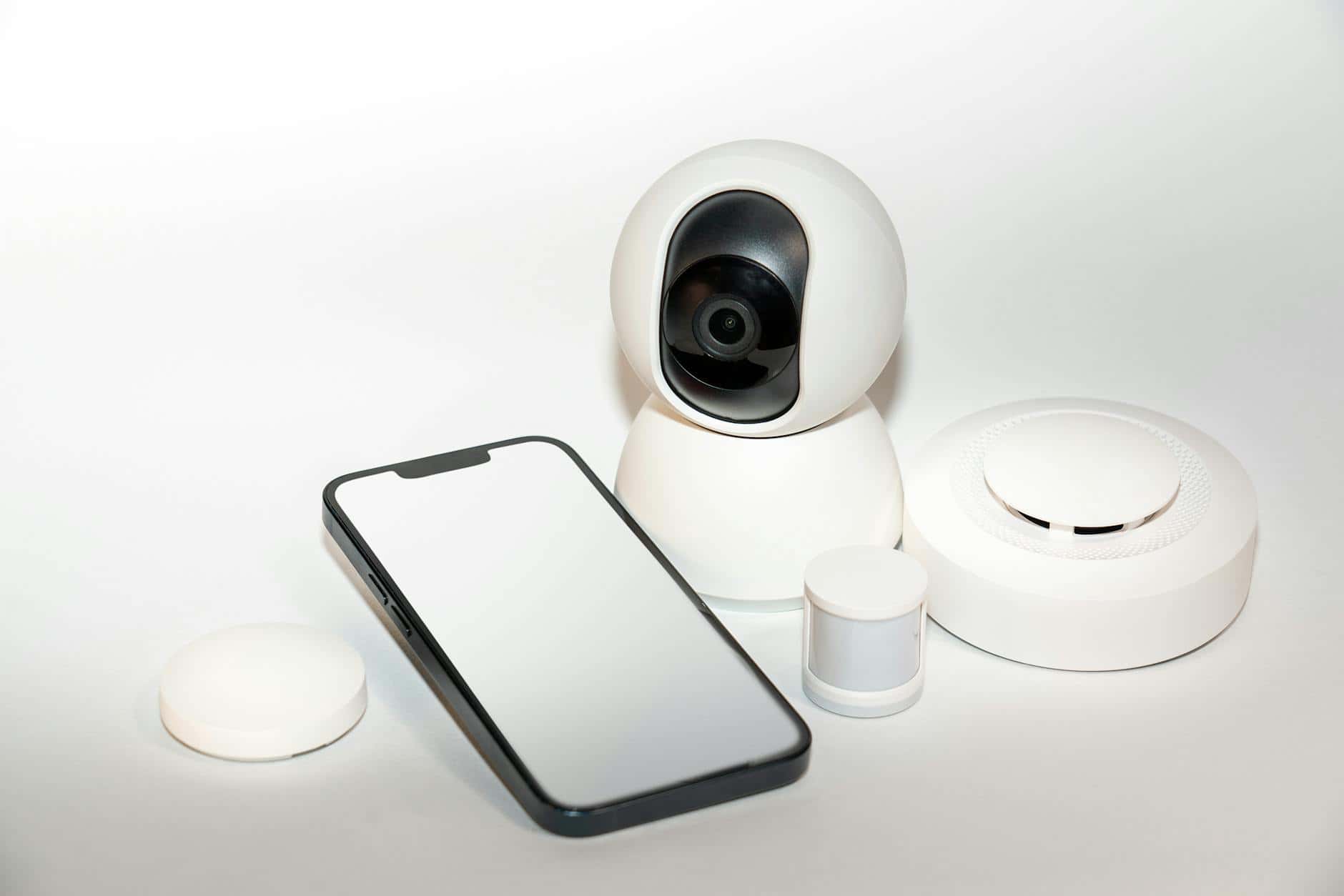
Common smart home devices include:
- Smart lights and switches
- Thermostats
- Video doorbells and cameras
- Smart plugs
- Door locks
- Window shades and blinds
- Speakers and TVs that connect to a home app
Not every home needs all of these. Many people start with one or two devices and add more later.
Why homeowners in Naples often consider it
Living in Southwest Florida often means paying attention to comfort, energy use, and storm preparedness. Smart home tools can help with all three when they are set up well. A thermostat schedule can help keep rooms comfortable. Smart lighting can make it look like someone is home when you are away. Cameras and doorbells can help you see what is happening at the door without opening it.
There is also a convenience factor. If you are carrying groceries, traveling, or helping family members manage a home from a distance, connected devices can reduce small daily hassles. That said, the value comes from choosing the right setup, not from adding every gadget available.
How to plan a smart home setup
Before buying anything, it helps to think about what problem you want to solve. Are you trying to reduce energy use? Make the front door easier to manage? Keep an eye on a vacation property? Support an older family member who wants simpler controls?
Here are a few practical steps we recommend:
- Start with one goal. Pick a simple outcome, such as controlling lights from your phone or checking the front door remotely.
- Check your Wi-Fi coverage. Smart devices depend on a strong, stable network. Weak signal areas can cause delays or dropouts.
- Choose devices that work together. It is easier to manage a system when devices can connect through the same platform or standard.
- Think about who will use it. If family members or staff need access, make sure the controls are easy to understand.
- Keep security in mind. Use strong passwords and turn on two-factor authentication when available.
If you want a broader overview of the kinds of support we provide for homes and small offices, you can visit our services page.
Helpful features to consider
Some features are more useful than others depending on your home and routines. For many people, the most practical smart home functions are the ones that save time and reduce guesswork.
Lighting
Smart lighting lets you turn lights on and off from an app, set schedules, or create scenes like “evening” or “away.” This can be useful for front entries, hallways, bedrooms, and outdoor areas. If you use dimmers, make sure the bulbs or switches are compatible.
Climate control
A smart thermostat can help manage indoor temperature from anywhere. It may also let you set schedules so the system adjusts automatically during the day. In Naples, where air conditioning can run often, many homeowners like the idea of adjusting settings without returning home.
Security and door access
Video doorbells, cameras, and smart locks can improve awareness of who is at the door and whether it is locked. If you choose these devices, pay attention to battery life, Wi-Fi strength, and how alerts are delivered to your phone.
Entertainment and convenience
Some people like being able to control TVs, speakers, and streaming devices through one app or voice assistant. Others prefer to keep entertainment separate from the rest of the home system. Either approach can work if it fits your habits.
Common setup mistakes to avoid
Smart home projects often run into trouble for simple reasons. The device itself may be fine, but the setup is not complete or the network is not ready.
- Mixing too many apps. Too many separate apps can make the system confusing instead of helpful.
- Ignoring compatibility. Some devices do not work well together, especially if they rely on different platforms or standards.
- Using weak passwords. Smart devices are part of your home network, so account security matters.
- Skipping updates. Device and app updates can fix bugs and improve security.
- Assuming Wi-Fi reaches every corner. Garages, patios, and larger homes may need better coverage.
For general guidance on smart home standards and device compatibility, the Wi-Fi Alliance provides useful background. If you use Apple devices in your home, Apple Support can help with account and device settings. For Google-based devices, Google Support is a helpful resource.
How to make your system easier to use
The most successful smart home setups are usually the simplest ones. A good rule is to design around the people who live there, not around the technology itself.
Here are a few ways to keep things manageable:
- Use clear room names, such as “Kitchen” instead of a device model name.
- Create routines that match daily habits, like bedtime or leaving for work.
- Keep voice commands short and consistent.
- Place smart switches where they are easy to reach.
- Write down account logins and keep them in a safe place.
If you are helping an older adult use connected devices, it can also help to keep the setup visually simple. Large icons, fewer apps, and clear labels often make the biggest difference. You may find our senior tech support page useful if you are planning a setup for a family member.
When it makes sense to call us
You can set up some smart home devices on your own, especially if the product is simple and your Wi-Fi is reliable. Still, there are times when it helps to have support.
Call us if:
- You want help choosing devices that fit your home and goals.
- Your devices will not connect, stay connected, or appear in the app properly.
- You want multiple devices to work together in one routine or system.
- You need help setting up a home for remote access.
- You want assistance for a home office or small office setup.
We provide onsite and remote help for homes and small offices in Naples. If you would like to talk through your setup, you can reach us at (804) 571-1652. You can also contact us through our contact page or learn more about our company on the about page.
FAQ
Do I need a full smart home system to get started?
No. Many people begin with one device, such as a smart thermostat or a few lights, and add more later if it is useful.
Will smart home devices work if my Wi-Fi is weak?
They may connect poorly or respond slowly. A stable home network is important for reliable performance.
Can you help with mixed devices from different brands?
Often, yes, but it depends on the model and how the devices connect. Call us to confirm what we can handle for your setup.